

SDOH Screening That Doesn’t Slow Clinic Flow
Social determinants of health screening is critical for patient care, but many clinics struggle to implement it without disrupting their workflow. This article presents practical strategies for integrating SDOH assessment into existing processes, drawing on insights from healthcare experts who have successfully implemented these approaches. Learn how to capture this essential information efficiently while maintaining smooth clinic operations.
Adopt Digital Pre-Check with Automated Support
The "Digital Pre-Check" model embedding the social determinants of health (SDOH) screening within the pre-visit digital intake process—by placing the questions within the SMS or email registration link sent to the patient 24 hours prior to their appointment—provides opportunities for efficient management of high-volume clinics. In essence, the physician has access to the captured data (as it is now in the EHR) before the patient ambulates into the office for the appointment. This allows them to utilize clinical time for intervention as opposed to data gathering throughout the encounter.
The Single-Question Power Screener I propose utilizes the "Hunger Vital Sign" as the baseline for determining an individual's economic stability. The single best question to ask is, "In the past 12 months, have you ever been worried that you would run out of food before you had enough money to buy more?" This question is very sensitive and serves as a primary surrogate for measuring an individual's overall financial and housing instability, thus allowing us to quickly identify those patients who are at risk.
EHR Z-Code and Referral Automation We utilize an automated EHR Z-code trigger system. When a patient identifies food or transportation insecurity in their digital intake, the system automatically suggests the appropriate ICD-10 code (i.e., Z59.41 for food insecurity; Z59.82 for transportation insecurity).
Closing the Loop As soon as the Z-code is entered in the EHR, the system creates a localized resource listing, which is printed and provided to the patient with their discharge summary. By embedding this process into the standard workflow for every patient, we ensure that all identified patient needs will be accompanied by available resources without requiring the physician to access other databases or complete a manual referral process.
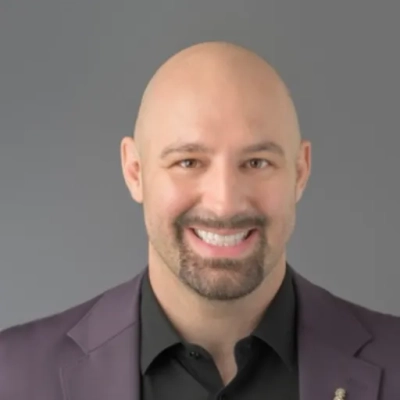
Standardize MA Intake as Sixth Vital Sign
Front-Loaded Medical Assistant (MA) Screening:
In clinics that care for vulnerable or homeless populations, we incorporate SDOH screening into the medical assistants' rooming protocol as part of clinical intake. This process formally recognizes social needs as a "sixth vital sign," and SDOH screening has become a standardized, non-negotiable element of the clinical intake process. As a result, when the physician meets with a patient, they already understand the barriers to care the patient may be facing (e.g., lack of transportation to pick up medication), and there is no delay in the physician's ability to continue with the visit.
The Single-Question Transport Screener:
In Sacramento, working with underserved populations, I have found that transportation is the greatest barrier to health equity. The single question that generates the most applicable data is, "Have you been unable to get to a medical appointment, meeting, work, or to get essential items for your daily life due to lack of reliable transportation in the last six months?" This question identifies patients who may qualify for immediate enrollment in the hospital-sponsored ride-share program.
The Power of Z-Codes and Referral Advocacy:
I am a advocate for utilizing Z-codes, such as Z59.0 (Homelessness) and Z59.1 (Inadequate Housing), as central pillars in the clinical decision-making process. By formalizing these social barriers within the EHR, clinics can move toward a system where selecting these codes triggers a "Social Navigator" consult. This transition toward systemic automation is what allows a busy facility to address root causes without sacrificing operational efficiency.
Closing the Loop:
The most successful connection we've established is a closed-loop referral with our community partners. Instead of simply giving the patient a phone number, our EHR sends a secure, direct notification to the local non-profit; once the patient has been served, the non-profit provides a "confirmation of service" back to the clinical team. With this level of accountability, we can ensure that SDOH screenings lead to an actual outcome, not just another data entry.

Use Geoanalytics to Prioritize High-Need Patients
Geoanalytics can focus SDOH screening on patients who most need it. Neighborhood data on income, housing stability, and transit access can produce a simple risk flag inside the chart. Staff then screen only flagged patients, which saves time at check-in and in the room.
Automated updates keep the flag fresh without extra clicks for the team. Regular audits can check for bias and adjust the rules with community input. Start a small pilot with one clinic panel and measure time saved today.
Post QR Codes for Self-Guided Disclosures
QR code posters let patients choose when to share SDOH needs. Signs near check-in and in exam rooms invite a quick scan with any phone. The link opens a short form in the preferred language, with clear text and large buttons.
Answers can load into the record if the patient consents, or stay anonymous for needs mapping. Staff do not need to hand out forms or collect papers, which keeps the line moving. Print a few posters today, test the link on several phones, and track scan rates this week.
Deploy Pictogram Tablets for Rapid Checks
Waiting room tablets can make SDOH checks fast and friendly. A pictogram checklist uses simple icons so people with low literacy can take part. Audio read aloud and language choices help more patients finish in under a minute.
Data flows to the chart before the visit starts, so the team sees needs without extra work. Devices should be cleaned, secured, and charged between uses to protect safety and data. Try a small set of tablets with a ten item checklist and watch completion time drop today.
Send Post-Visit Portal Nudges with Follow-Through
Post visit portal nudges can gather rich SDOH insights without crowding the front desk. A short message after the visit invites a quick check in at a calm time. One or two questions each day for a week can feel light and build trust.
Links can open in the portal or by text with secure login for privacy. Reported needs can trigger resource tips or a navigator call, which closes the loop. Set up a simple nudge series now and review response rates at the end of the month.
Engage Peer Navigators to Uncover Barriers
Peer navigators can pre screen patients in the waiting area while building trust. People with shared life experience can spot needs that forms may miss. A warm script and clear badges make the approach feel safe and quick.
Notes enter the chart or a referral tool so the team can act without delay. Training, supervision, and a private space for sensitive talks protect quality and dignity. Recruit and train a small navigator cohort and schedule a two week trial now.